





What each mode is and when it opens
Dragon Ball Legends game modes
When each mode opens
- AdventureOpens after: Part 1, Chapter 2, Episode 4 (A New Encounter)
- TrainOpens after: Part 1, Chapter 2, Episode 4 (A New Encounter)
- PvP BattleOpens after: Part 1, Chapter 3, Episode 5 (Raditz's Revenge)
- Treasure BattleOpens after: Part 1, Chapter 3, Episode 5 (Raditz's Revenge)
- Tri-ArenaOpens after: Part 1, Chapter 7, Episode 6 (The Saiyan in Red)
- Dynamic Area BattleOpens after: Part 1, Chapter 2, Episode 6 (A New Encounter)
- PvPOpens after: Part 1, Chapter 1, Episode 4 (Shallot)
- FriendOpens after: Part 1, Chapter 1, Episode 4 (Shallot)
- ProfileOpens after: Part 1, Chapter 1, Episode 4 (Shallot)
- Limited Time TrainingOpens after: Part 1, Chapter 1, Episode 4 (Shallot)
- Arts BoostOpens after: Part 2, Chapter 1, Episode 7 (Unexpected Visitors)
- Story ArchiveOpens after: Part 1, Chapter 1, Episode 4 (Shallot)
- Unlock Cleared StoriesOpens after: Part 1, Chapter 2, Episode 1 (A New Encounter)
- View All EquipmentOpens after: Part 1, Chapter 2, Episode 5 (A New Encounter)
- EquipmentOpens after: Part 1, Chapter 2, Episode 5 (A New Encounter)
- Equipment AwakeningOpens after: Part 1, Chapter 2, Episode 5 (A New Encounter)
- EquipmentOpens after: Part 1, Chapter 2, Episode 5 (A New Encounter)
- Equipment ArchiveOpens after: Part 1, Chapter 2, Episode 5 (A New Encounter)
- Event (Upgrade)Opens after: Part 1, Chapter 2, Episode 6 (A New Encounter)
- EventOpens after: Part 1, Chapter 2, Episode 6 (A New Encounter)
- CustomizeOpens after: Part 1, Chapter 4, Episode 9 (The Saiyan's Teacher)
- Unlock SP ShallotOpens after: Part 10, Chapter 3, Episode 9 (Return of the Ruthless Emperor)
- Event (Special)Opens after: Part 1, Chapter 2, Episode 6 (A New Encounter)
- Select TransformationOpens after: Part 2, Chapter 7, Episode 11 (Clash! Showdown with Frieza!)
- Rating MatchOpens after: Part 1, Chapter 7, Episode 6 (The Saiyan in Red)
- EventOpens after: Part 1, Chapter 2, Episode 6 (A New Encounter)
- Ultra Space-Time RushOpens after: Part 2, Chapter 8, Episode 6 (Unabating Evil Tendencies)
- Hyperdimensional Co-OpOpens after: Part 1, Chapter 6, Episode 1 (Truth of the Survival Game)
- Event (Original Series)Opens after: Part 1, Chapter 2, Episode 6 (A New Encounter)
- Full Power BattleOpens after: Part 7, Chapter 7, Episode 8 (The Saiyan God)
- Event RankingOpens after: Part 1, Chapter 6, Episode 1 (Truth of the Survival Game)
- Tournament of PowerOpens after: Part 2, Chapter 8, Episode 7 (Unabating Evil Tendencies)
- God ChallengeOpens after: Part 5, Chapter 5, Episode 7 (Majin Buu Attacks!)
- Card CollectionOpens after: Part 1, Chapter 4, Episode 9 (The Saiyan's Teacher)
- Auto Match RulesOpens after: Part 1, Chapter 7, Episode 6 (The Saiyan in Red)
Story
18Main Story
Go through the game's story and receive rewards such as character EXP, items, and Friendship Points (only used characters).
Event Stories
A mode where Stories from the Original Series, Scout Battles, and more are released periodically.
Stories from the Original Series
Stories that follow the Dragon Ball storyline.
Equipment may drop upon clearing a battle.
Scout Battles
Stories where you can acquire characters' Z Power.
The type of obtainable Z Power changes periodically.
Bonus Battles
Stories where you can acquire Souls, EXP and Zeni.
Job Requests may drop upon clearing a battle.
Rising Battles
A mode where you take on enemies that become stronger every time you defeat them.
These include battles with Deploy Conditions.
Ultra Space-Time Rush
A mode where you deploy your characters to take on battles over multiple floors within each rush.
*No Story will be played.
*Energy is not required to play.
Sub-Events
Events not indicated above are included in this category.
Other special Stories may also be released in accordance with different events.
Energy
Playing a Story costs Energy. Energy is restored automatically at a rate of one point every 20 minutes. However, it won't be restored past its maximum limit.
There are two main ways to manually restore Energy:
1) Using Chrono Crystals
• 1st - {0}th Time: Chrono Crystal x2
*Energy can be restored with Chrono Crystals up to {0} times per day.
2) Using the EN Tank
Using Chrono Crystals allows you to restore 10 points of Energy per usage and also allows you to acquire some Skip Tickets. Any excess Energy restored over the maximum limit will be added to the EN Tank.
Energy can be used directly from your EN Tank when you don't have enough to play a Story.
EN Tank
The EN Tank can hold up to 9,999 points of excess Energy.
Energy will be stored here when you use Chrono Crystals to restore your Energy and exceed your limit, or when your Z Level increases.
You can check how much Energy is left in the tank when selecting how to restore Energy.
You can temporarily store Energy over the maximum limit, however during this time you won't be able to restore Energy using Chrono Crystals.
Energy can be used directly from your EN Tank when you don't have enough to play a Story.
Difficulty
There are 4 difficulties: Normal, Hard, Scream, and Despair. High difficulty means stronger enemies but better rewards.
Unlocking Stories
Some Stories have unlock conditions.
Meet these conditions to play them.
Challenges
Each story has battle Challenges. These give rewards when first beat. Complete all challenges for an extra reward.
Skip Tickets
This item allows you to skip a battle and instantly clear a story when used.
All challenges must be completed for a given stage before this item can be used.
Skip Tickets can be acquired through the following 2 methods:
① When recovering Energy through the use of Chrono Crystals
② By purchasing Skipper, the Skip Ticket Printing Robot
*Friendship Points are not earned when using Skip Tickets.
*They will also not count toward the number of victories required to clear certain Missions.
Progress Gauge
You can use the progress gauge to check the number of Chrono Crystals obtainable by clearing the remaining Main Story.
Chrono Crystals from the following rewards are counted:
・Rewards for clearing a Story chapter for the first time
・Rewards from Z Missions for clearing Story chapters
・Rewards from More! Legends Missions for clearing specific Story Parts
Rewards based on the actions you took when you cleared a stage, such as those from challenges and various other Missions, are not counted.
The Chrono Crystals being counted can be obtained on the results screen for each Story stage and from the Mission screen after clearing each Mission.
*You will not be awarded additional Chrono Crystals for filling up the gauge.
Ultra Space-Time Rush
A mode where you deploy your characters to take on battles over multiple floors within each rush.
Energy is not required to play,
and it can be challenged as many times as you like during the event period.
Ultra Space-Time Rush Battle Rules
Characters which have been used once in Ultra Space-Time Rush cannot be used in any subsequent battles.
Used Equipment will also become non-equippable.
Defeat all battle members on the enemy side to seize victory and proceed to the next floor.
It will be counted as a loss if you are unable to defeat them all.
However, enemy health will be carried over to the next battle.
*When there is only one battle member remaining for both you and your enemy,
and both reach 0 health at the same time from Self-Destruct or ranged attacks,
the battle will be counted as a victory.
Special rules are set for certain floors, and you will need to form parties consisting of certain characters or tags depending on the floor.
Ultra Space-Time Rush Rewards
You will obtain points upon clearing floors and completing Trials.
Point Rewards can be obtained when the total amount of points acquired across all floors exceeds the required amount.
*No EXP, Zeni, or items will be obtained from battles.
Rushes in Ultra Space-Time Rush
Once you've beaten every floor in one "Rush", a new "Rush" will be unlocked.
Challenge the "Rushes" as far as you can and obtain rewards.
"Rush" progress that has been unlocked will be shared amongst all Ultra Space-Time Rushes.
Ultra Space-Time Rush Re-attempts
By selecting Re-attempt, you can reset the progress for the selected Rush and start the battle anew from the first floor.
If you obtain enough points when re-attempting, you can acquire Point Rewards you did not get in previous challenges.
*Record of max points and rewards obtained will not be reset.
God Challenge
God Challenge is a super high difficulty Event where you have to clear multiple battles in "waves".
You will choose characters to use in this Event.
Please note that you cannot change the selected characters after starting it.
Cooldowns in God Challenge
In God Challenge, you will pick from your selection of characters to take on each battle in a wave.
After winning, a "cooldown" will occur for the battle members used.
Characters on cooldown cannot be selected as a battle member.
Cooldowns will reset after the wave is cleared.
Continues in God Challenge
You can choose to continue by spending Chrono Crystals when you lose a battle in the God Challenge.
If you decide to continue, the enemies will be in the same state as when you lost,
and your own party will revert to the state it was in at the start of the battle.
The timer count will reset if you choose to continue.
Resetting God Challenge
In God Challenge, a wave can be reset after Battle 2.
When a wave is reset, all cooldowns will end and you will restart the wave again from Battle 1.
Please use it when a character you need to clear a battle with is on cooldown.
PvP
24- Unrivaled Duel #2Starts: 2026-10-07Ends: 2026-10-28
- Emperor's DuelStarts: 2026-09-23Ends: 2026-10-07
- Blazing!! Scorching!! Legends Summer Fest Duel 2026 Season 2Starts: 2026-09-09Ends: 2026-09-23
- Blazing!! Scorching!! Legends Summer Fest Duel 2026 Season 1Starts: 2026-08-26Ends: 2026-09-09
- Universe Rep Super DuelStarts: 2026-08-12Ends: 2026-08-25
- World Tournament #6Starts: 2026-07-29Ends: 2026-08-12
- Who's the 8th Anniversary's Strongest Fighter?! Anniversary Super Space-Time Duel Season 2Starts: 2026-07-08Ends: 2026-07-29
- Who's the 8th Anniversary's Strongest Fighter?! Anniversary Super Space-Time Duel Season 1Starts: 2026-06-17Ends: 2026-07-08
- Celebrate 8 Years! Ultra Thanks DuelStarts: 2026-05-23Ends: 2026-06-17
- 8th Anniversary Countdown DuelStarts: 2026-05-13Ends: 2026-05-23
- Ultra Supervillain DuelStarts: 2026-04-28Ends: 2026-05-13
- Rebellion DuelStarts: 2026-04-08Ends: 2026-04-28
Rating Matches
Rating Matches pit you against players across the world in an epic struggle for Rating Point supremacy.
The periods for amassing Rating Points are known as "seasons".
Players who take part in seasonal Rating Matches will receive rewards at the season's conclusion.
Compete with other players in two different rankings to see who has the most Rating Points:
1. League Ranking - compete against all players
2. Group Ranking - compete against players in the same group
Please visit the "League Ranking" and "Group Ranking" menus to view the respective rankings for the ongoing season.
The results of battles that conclude even after a season has finished will still affect the rankings.
Rating Points will reset with each new season.
When viewing the rankings, keep in mind that player placement corresponds to the time the data was compiled, and thus may not always be up-to-date.
Season Rank
Season Ranks are decided according to the number of Rating Points earned.
The highest rank that can be achieved is Godly, and at Silver ★1 or higher, Rating Points will be lost after losing a match.
Matchmaking for Rating Matches is based on Season Rank.
At the end of each season, rewards are distributed based on Season Ranks and the ranks are then reset.
PROUD Rules
PROUD Rules are a special rule set under which battles are fought using all 6 characters in your party.
For the first round, select 3 out of the 6 characters to do battle.
In the second round, the remaining 3 will do battle.
If the match is a draw after the second round, the BATTLE OF PRIDE (final round) will be held,
in which you will battle using a team of 3 that must feature at least 1 character from each of the previous rounds.
*The first and second rounds are shorter than a standard round.
*If the season ends before the winner of the match has been decided, the results will not be reflected in the rankings.
Godly Player
After a certain amount of time has passed from the start of the season, anyone who reaches Season Rank Diamond ★7 or higher and ranks in the top 1,000 in the Legends League Ranking will receive the Godly rank.
This status will be lost if the above conditions are no longer met.
After finishing a season at Godly rank once, the number of times a player has achieved Godly rank will be recorded.
1st Win RP Bonus!
The 1st Win RP Bonus is a special bonus that can be earned in Rating Matches with your first win of the day.
The bonus will not apply from your second win onward, but it can be earned once again when the day resets.
The 1st Win RP Bonus gives a set amount of Rating Points each time and cannot be affected by other bonuses such as the "RP x2" bonus.
*The 1st Win RP Bonus may be restricted for players at Diamond ★7 or higher.
Special Rank Up
Players who participate in Rating Matches and finish the season above a certain Season Rank will receive a Special Rank Up at the start of a new season.
This Special Rank Up grants players Rating Points when a new season begins according to their Season Rank at the end of the last season they participated in.
Group
"Groups" are collections of players competing within the same Group Rankings.
Your Season Rank at the end of the previous season determines which block of Groups you can join.
• D
• C
• B
• A
• S
• Z
Each of these blocks have multiple Groups, and anyone who fulfills the requirements to join the Group Rankings will be placed into one.
Rating Match Rewards
Rating Matches give 4 different types of rewards:
- Match Rewards
Given out based on the battle results and Season Rank following a Rating Match.
- Season Rank Achievement Rewards
Given out whenever a Season Rank is reached for the first time.
- Season Rank Rewards
Based on the Season Rank held at the season's end and given to all players who took part in Rating Matches that season.
- Ranking Rewards (League Ranking & Group Ranking)
Awarded to players who have reached certain ranks or are within certain ranking brackets.
*It is necessary to participate in a certain number of Rating Matches in order to place in the rankings.
Season Rank Rewards and Ranking Rewards are given out when accessing the PvP screen after the results are calculated.
The time at which rewards can be claimed differs with their type, as detailed below.
1. Match Rewards: End of match
2. Season Rank Achievement Rewards: Upon reaching a new Season Rank
3. Season Rank Rewards: During the next season
4. Ranking Rewards: During the next season
- Please note that it is necessary to participate in a certain number of Rating Matches in order to claim rewards.
*Players may receive Ranking Rewards from both the League Ranking and Group Ranking, but they cannot receive multiple Ranking Rewards in the same category.
For example, if a player is number one in the rankings, they will be ineligible to receive the Ranking Rewards for placing in the top 15% and will only receive the Rank 1 reward.
Boost Characters
Boost Characters will power up when used in Rating Matches, Treasure Battles, and Tri-Arena.
The characters that receive these boosts will change each season.
The strength of these boosts depends on the tier.
*Characters in the same tier will receive different boosts depending on whether they are Zenkai Awakened or not.
*In Tri-Arena, Boost Characters may or may not be available depending on the season.
The characters must be used in battle to receive boosts.
Simply adding a Boost Character to your party will not result in the boost taking effect.
You can check the current Boost Characters from the main PvP screen.
If Boost Characters are available for Tri-Arena, they can be checked from the "Boost Characters" menu on the Tri-Arena screen.
Training Battle
Training Battles allow for friendly bouts with players of similar Battle Power.
Rating Points are not given after the fight, nor will the outcome affect season ranking.
Training Battle Rewards
Training Battle Rewards are given out at the end of Training Battles.
Treasure Battle
Treasure Battles allow you to enjoy low-risk bouts with players of a similar power level.
You will only be matched with other players who are playing Treasure Battle.
Rating Points are not given or taken away after the fight, nor will the outcome affect season rankings.
*This does not include various bonuses, etc. that grant Rating Points.
Treasure Battle Rewards
Match Rewards are given out after Treasure Battles end.
Plus, regardless of if you win or lose, players will receive Reward Points after a match.
The number of points you receive depends on the current Goals.
Earn enough points to open the Treasure Chest and get those rewards!
*When Rating Points are a potential reward from the Treasure Chest, restrictions may apply for players at Diamond ★7 or higher.
Tri-Arena
Tri-Arena is a mode where you create 3 parties with different Formation Requirements, and aim to win once with each party for a total of 3 wins.
The Event period is divided into "seasons". While Tri-Arena is available, you can battle other participating players.
If you win a battle in Tri-Arena, the party that won cannot be used until you achieve 3 wins in total.
Even if you lose a battle, you can keep on using that party until you get a win. After you achieve 3 wins, all party restrictions will be lifted, and your win streak and win record will reset to 0.
If you achieve those 3 wins in a row, you will also receive a special reward: the "3-Win Streak Bonus".
Please check Help "PvP" → "Tri-Arena Rewards" for details about the rewards.
If you want to change a party or remove the restrictions on any parties that have won, you can use "Reset Challenge".
However, be aware that your win streak and win record will reset as well.
Tri-Arena Party Formation
When you form your parties for Tri-Arena, you will need to select one of the Formation Requirements for each party, then add characters that match those requirements.
Even if a character fulfills the requirements for multiple parties, it may only be used in a single party.
The number of characters allowed in one party may change depending on the season, so please check the "Basic Rules" section via, for example, the "i" button on the Tri-Arena main screen.
Tri-Arena Rewards
In Tri-Arena, the following rewards can be obtained.
• Battle Rewards
These rewards depend on your battle results.
• 3-Win Bonus
Every time you win a total of 3 times (once with each party), you will receive a "3-Win Bonus".
You can continue to earn 3-Win Bonuses in a single day as long as you have redemption credits remaining.
How often you receive redemption credits and how many may change depending on the season, so please check the "Rewards" section via the "i" button on the Tri-Arena main screen.
Furthermore, redemption credits for the 3-Win Bonus will be discarded at the end of the season. Please note that they will not be carried over to the next season.
• 3-Win Streak Bonus
If you win once with each party and achieve a 3-win streak, you will also receive a special reward: the "3-Win Streak Bonus".
*You cannot receive the 3-Win Streak Bonus if, after winning a battle with one of your Parties, any of Parties 1, 2, or 3 lose or draw during a battle.
If you fail your attempt, you can try to earn a 3-Win Streak Bonus again after winning 3 times or by resetting the challenge.
The rewards listed above will be distributed after battles end. Depending on the type of item, excess rewards will be processed differently. Please check Help "Item" → "Item Limits" for more details.
Friend Battle
Invite friends or guild members to battle through Friend Battle.
Stages can be chosen.
Friend Battles do not give rewards.
GodTube Replay Feature
GodTube is a place where you can watch battles between top-ranking players.
- New Replays
This is where you can watch the latest battles.
Replays here will disappear from the list after 14 days.
- Replay Collection
Any replays that you've favorited are kept here.
Up to 30 replays can be saved here.
Replays saved in your Replay Collection will become unwatchable after 14 days from their initial upload.
- Watch History
Replays that you've watched previously will be temporarily kept here.
If your Watch History become too full, replays will be removed starting from the oldest first.
After an app update, replays from before the update may become unwatchable.
Messages
You can send messages to your opponents from the PvP, Hyperdimensional Co-Op, or Co-Op Raid results screens, as well as from the Battle History screen in PvP.
Use a plethora of lines from Dragon Ball characters to communicate with other players.
These messages will be updated over time.
Praise Points
You can send both Messages and Praise Points
to your opponents from the PvP results
or Battle History screen.
Send Praise Points and praise each
other's battle performance.
Battle History
Your battle history records the details of PvP matches you have fought. There is both a "PvP History" and a "LBR History" that you can check.
You can do the following when checking the details of a match:
• Check the replay
• Check the battle summary
• Send a friend request
• Send a Message
• Report a user
Battle History Replays
Tap the "Replay" button on the details page in your Battle History to watch a replay.
Battles that fulfill certain conditions will be uploaded to GodTube.
Any battles that have been uploaded will have a camera icon.
After an app update, replays from before the update may become unwatchable.
Battle Summaries
When checking the details of a match, you can tap the "Battle Summary" button to view a record of yours and your opponent's actions during the battle.
The following modes are supported:
• Rating Match - Standard Rules
• Rating Match - PROUD Rules
• Rating Match - Auto Match Rules
• Training Battle
• Treasure Battle
• LEGENDS BATTLE ROYAL
Battle Summaries can also be checked after viewing a replay.
Note that battle summary info may be lost when changing to a new device or after clearing the cache.
Auto Match Rules
Auto Match Rules are only available to players in the Challenger League. Under these rules, battles can be enjoyed using Auto Mode. However, players are not restricted to Auto Mode and can begin playing manually at any time.
*The stronger and faster AI from the LEGENDS Pass is not available in Auto Mode.
In this mode, less RP will be earned or lost than in standard Rating Matches.
Matchmaking will occur between players who have selected Auto Match Rules.
Adventures
7Adventures
Characters can receive reward items by going on Adventures for set periods of time.
This requires Job Requests.
The details of each Job Request will vary, and characters will receive different items depending on where they are sent.
By spending Rocket Boosters, you can use "Haste" to complete Adventures immediately.
There is a limit to how many times Haste can be performed.
The limit resets when the in-game date changes.
Adventures can be stopped partway through but doing so won't yield any rewards.
Any Job Requests used will still be consumed.
Job Requests
An item that is required for going on Adventures.
Job Requests are only available for a limited time, so be sure to use them before they expire!
Adventures also have different destinations and difficulty levels depending on the Job Request, but the more difficult an Adventure is, the greater its reward.
To view your currently available Job Requests, go to the Adventure screen and tap "Job List".
Adventure Rewards
Adventure Rewards include the following:
- Boost Souls
- Training Items
- Zeni
Adventure Slots
The number of Adventures you can go on at once is determined by how many Adventure Slots have been unlocked.
You start with 3 slots unlocked, but you can have up to a maximum of 7 by using "Adventure Slot Keys" or "Adventure Slot Keys Z".
Adventure Suitability
Characters of certain
elements are more suited
for certain jobs. Pick
wisely to improve your
chances of success.
Adventure Success
Three levels of success,
Regular, Great, and Huge,
exist. Better results
reward more items.
Reattempt
By using the same Job Request at the end of the Adventure, the Adventure can be reattempted.
*When reattempting an Adventure, the characters cannot be changed.
*The Job Requests used when repeating an Adventure will be consumed from the shortest expiration date.
Hyperdimensional Co-Op
19Hyperdimensional Co-Op
Hyperdimensional Co-Op is a battle mode where you work together with another player to defeat the boss.
The other player who fights with you against the boss is called a buddy.
In Hyperdimensional Co-Op, your buddy does not count as the battle member or ally mentioned in abilities' activation conditions and effect range.
Hyperdimensional Co-Op Battle Rules
Unlike regular battles, you and your Buddy will use two characters each to challenge the Boss in a 4 vs. 1 fight.
*Some battles, such as Co-Op Raids, may only allow the use of one character.
You will win the battle when the health of the Boss reaches zero.
You will lose if a certain amount of time passes while there is only one player left or if time runs out.
Shield Condition
Hyperdimensional Co-Op bosses have a special shield.
Their shield will have the following effects:
- Reduce damage received
- Nullify knockback effect of Arts attacks
- Cannot be defeated
Deal damage to the boss to destroy their shield.
The shield's status is shown via the shield gauge on the top of the screen.
Since the shield will slowly repair itself, cooperate with your buddy to quickly take it down.
Link
You will achieve a link if you deal consecutive damage to the boss.
Achieve more links by performing alternating attacks with your buddy.
If you have a lot of links, the shield gauge of the boss will decrease more quickly.
Links will vanish after a set amount of time has passed with no attacks.
Strike Chance
When the shield is destroyed, a strike chance will occur.
The shield will lose its effects during a strike chance.
The boss' shield will recover over time.
The strike chance will end when the shield fully recovers.
Cooperate with your buddy during the strike chance, and defeat the boss.
Link Bonus
During a strike chance, each player will receive the link bonuses listed below according to the amount of links achieved.
- Ki Recovery UP
- Arts Card Draw Speed UP
Burst
Burst will occur when the boss' shield fully recovers during a strike chance.
Burst will knock back and immobilize players for a set period of time.
Aggro
Players will generate a certain amount of aggro in relation to the boss.
The amount of aggro you have will increase when you act against the boss. The boss will target the player with the most aggro.
Taunt
Tap the icon to taunt the boss.
If you taunt the boss, your aggro will increase.
Use this tactic to decrease the amount of attacks your buddy receives.
Assist
Tap your buddy's icon to assist them when they're under attack.
By doing so, you will push your buddy out of the way and earn a link.
You will also become the focus of the boss' attacks for a short period of time.
Abilities that activate with cover change will not activate with assists.
Dual Impact
If the boss' Strike Arts collides with yours, you will be able to prevent the boss from attack for a set amount of time.
You can extend this period up to four times by successfully flicking in the direction of the on-screen arrows.
While your buddy prevents the boss from attacking, perform a Dual Impact by landing Strike or Blast Arts to deal a large amount of damage.
Rising Rush
In a Hyperdimensional Co-Op Rising Rush, you'll have to tap the screen with precise timing.
When attacking, tap to stop the gauge when it's full. When defending, tap to stop the gauge in the area shown on screen.
When Defeated
If you have a Revival Drink, you can revive a defeated Buddy and have them rejoin the fight.
You and your Buddy can each bring a maximum of one Revival Drink into battle.
Hyperdimensional Co-Op Rewards
If you win in the Hyperdimensional Co-Op, you can earn limited-time rewards, bonus rewards, Battle Points, and more.
Limited-time rewards are received after completion and can only be obtained a certain number of times per day.
The number of limited-time rewards you can receive per day varies by Event.
You'll earn a bonus reward on top of the limited-time reward if you clear the battle with a Buddy you found by tapping the "Play" button.
You will not obtain a bonus reward if you cannot receive any more limited-time rewards.
- Bonus Missions will appear during battle. Clear them within the time limit to get rewards.
- You can work together with your Buddy to clear these Bonus Missions.
You will earn Battle Points when you clear a battle if you are affiliated with a Guild.
You will earn more Battle Points if you clear the battle with another Guild member.
You will receive rewards even if your Buddy wins the battle after you're defeated.
Bonus Missions
Bonus Missions will appear during Hyperdimensional Co-Op.
These can be cleared together with your Buddy. There is no penalty for failing them.
Upon winning the battle, any rewards from Missions that were cleared will be distributed.
If a connection error or other issue causes your Buddy to be replaced by an AI-controlled character, all Bonus Missions will be stopped.
However, rewards from any Bonus Missions completed before this will still be distributed upon victory.
Boss's Bind Attack
The Boss in Hyperdimensional Co-Op is able to use a Bind attack.
If it hits, you will be unable to move for a while and your health will be continuously absorbed.
To escape, your Buddy must do one of the following:
- Use an assist
- Land a Special Move, Special, Ultimate, or Awakened Arts, or even a Rising Rush
- Deal a certain amount of damage to the Boss
Etc.
Simultaneous Rising Rushes
When you activate your Rising Rush at the same time as your Buddy, the Boss will be unable to stop or evade the attack.
Try to stop the gauge when it's full. Plus, if both players' scores are close to each other, you'll deal more damage than a regular Rising Rush.
When defending, if both players are unable to stop the gauge in the specified area, the defense will fail and either your or your Buddy's character will be chosen randomly to receive a penalty.
Hyperdimensional Co-Op Rematch
It is possible to rematch with buddies that you have matched with via the "Invite/Scan Code" feature.
When rematching, both players' parties will be the same as in the previous battle.
A rematch will only take place if both players select it.
*You cannot rematch with players found by tapping the "Play" button.
There's a limit to the number of rematches that can be performed in a row.
If this limit is reached, you will be disconnected from your Buddy.
*It is possible to match with the same player again via the "Invite/Scan Code" feature.
Ultra Skip Tickets
This item allows you to skip matchmaking and battles for Hyperdimensional Co-Op and Co-Op Raids and instantly clear them when used.
All challenges must be completed for a given stage before this item can be used.
Plus, all of the current day's limited-time rewards must have been received.
Ultra Skip Tickets can be acquired from the Exchange Shop, etc.
Battles skipped with Ultra Skip Tickets will not count toward the number of victories required to clear certain Missions.
*Combat Points will not be earned in Co-Op Raids when using Ultra Skip Tickets.
Tournament of Power
27What's the Tournament of Power?
Spend "Tournament Participation Points" to clear spaces on the map and reach the boss at the end.
In addition, you will receive points toward your Battle Score upon clearing battles, which will determine your ranking among other players.
The Tournament of Power is divided into seasons, and rewards can be earned based on your Battle Score results at the end of each season (rewards will be distributed when you join the next season).
The Tournament of Power is divided into "Leagues," and players with the highest Battle Score results will be promoted to a higher-level League the following season, while players with the lowest scores will be demoted.
Tournament of Power Battle Rules
Battles consist of four turns with a maximum of six versus six characters.
Characters attack in order of highest Ki Recovery, and the turn will end when everyone has attacked.
After four turns, a Rising Rush will be used by the player's side only.
Damage for this Rising Rush will be based on character stats and Element (dis)advantage. It will not be affected by Placement or Line Bonuses.
The winner is the one who eliminates all of their opponent's characters or the one who inflicted more damage during the battle.
Leagues
Players who participate in the Tournament of Power are grouped into "Leagues".
You can be promoted or demoted to another League based on your Battle Score results at the end of each season.
The higher level the League, the more difficult the battles will become.
In addition, players who did not participate in the Tournament of Power during a season will be demoted for the following season.
Team Formation
Form a dedicated team to use in battle.
You can place 6 characters in the 3x3 spaces.
In addition, you must register 2 backup characters. These characters can switch with your team's characters during the Map Capture phase.
You can also change the Equipment and Attack Arts that your team's characters will use during battle.
*Changes to Shallot's transformation or Costume will also be reflected in the Tournament of Power.
Health
This is your characters' remaining health.
A certain amount of your characters' health is restored after each battle in the Tournament of Power.
Except in the case of a loss, if a character's health falls to zero, they will not revive after the battle, and you will not be able to use them in future ones.
Special Move Gauge
This is your characters' current Special Move Gauge charge.
Once fully charged, you can use that character's Special Move.
Switching Out
You can switch characters between your team and backup characters during Map Capture.
Check what characters your opponent will use in the next battle and adjust your team accordingly.
Tournament Participation Points
Tournament Participation Points (TP) are used to progress through spaces in the Tournament of Power.
They recover over time at set intervals.
Spaces
Spend Tournament Participation Points to advance through spaces.
Spaces each have their own events when you land on them, such as battles or recovery.
Start
Map Capture begins on the Start space.
You can edit your team formation here, so be sure to plan for the battles ahead.
Battle
Battle spaces are where you fight against enemies. The higher the difficulty level, the more powerful they will be.
When confirming your movement before a battle, you can tap the enemy's icon to set the order of which enemies to prioritize in battle.
Battles will be performed automatically, and you can see the battle results and other details after it ends.
The amount of points you earn towards your Battle Score is determined by various aspects of the battle.
Boss
These spaces are where you fight enemies who are much more powerful than on regular battle spaces.
Features of Certain Traits
When characters with certain Traits participate in the Tournament of Power, the following effects can activate.
*Traits can be checked from a character's "Regular Stats" on their details screen.
1. Transform
The character will transform at the start of a specified turn.
*Some characters' transformations will end after a certain number of turns, and others' will not.
2. Tag
The character will perform a Tag Switch at the end of each turn. When a Tag Switch is performed, the character's Element may change or be reversed.
*Tag Characters' Elements can be checked from their Element icons or from their details screens.
*If the conditions are met for "Synchro Gauge" or "Succession", the "Tag" effect will stop activating.
3. Synchro Gauge
The character will fuse at the end of a specified turn.
4. Revive and Revive (Chance)
The character will revive with a certain amount of health when their health reaches zero. When reviving, the character may transform or switch.
*Once revived, the revived status will remain even after the battle ends.
*Characters that can only revive under certain conditions may be unable to revive during the Tournament of Power, even if they possess this trait.
5. Succession
The character's health will be restored by a certain amount and they will switch to a specified character when their health reaches zero.
*After succession, the change will remain even after the battle ends.
*If a character has one of these Traits and there is a button for an additional state on their "Regular Stats" screen, but that button is not shown on their "ToP Stats" screen, the effect will not activate in the Tournament of Power.
E.g. A character has both "Tag" and "Succession", but the "After Succession" button is not shown on their "ToP Stats" screen. "Succession" will not activate for that character.
Line Bonus
The front, middle, and back rows of your team formation's 3x3 grid each have a bonus effect that can help you fight more effectively.
The bonus effects received depend on which row a character is placed in.
Placement Bonus
On Battle spaces, there are certain positions in the 3x3 grid where you place characters that grant useful buffs for that battle.
Make sure to place characters in those spots to power them up.
Bonus Spaces
On this space, you can earn a greater bonus to your Battle Score than on normal spaces if you win with Boost Characters in your "MAIN" team.
This bonus will apply for Boost Characters with either Boost (Stats) or Boost (Battle Score), but characters that have both types of boosts do not give double the bonus.
Recovery Spaces
Land on these spaces to recover your characters' health.
This will also restore health to characters who have been defeated.
Reform Team Spaces
You can receive the following effects upon landing on these spaces:
1. All characters on your team and in backup will have their health and Special Move Gauges averaged together. Characters with zero health are also included and will be revived in the process.
Plus, all characters will recover a small amount of health.
2. You can swap out characters from your team or backup with other characters you own. If you do, new characters will inherit the health and Special Move Gauges of the characters they are swapped with.
3. You can change the Tournament of Power Equipment being used by the characters on your team and in backup.
Battle Score
These are points you earn by battling.
Your ranking in the Tournament of Power is determined by your Battle Score.
You can also receive rewards based on your battle score.
Ranking
Your ranking is determined by the accumulated Battle Score you earn through battles.
You will receive an Overall Ranking, which is your position among all other players, and a League Ranking, which is where you stand within your current League.
Your Overall Ranking determines what rewards you receive at the end of the season.
Your League Ranking is what determines whether you will be promoted or demoted for the following season.
2nd Attempts
During a season, the same map may be attempted up to two times. Whichever attempt has the highest Battle Score will be registered for the rankings.
When attempting the Tournament of Power again, the health, Special Move Gauges, transformations, etc. of all main and backup members, as well as your Battle Score, will be reset. Only your Tournament Participation Points will be carried over.
Auto Mode
You can use this feature to automatically proceed through spaces in the Tournament of Power.
Once you set how many Tournament Participation Points you want to use, the game will play the applicable number of spaces for you.
Battle spaces will be given the highest priority when movement is being determined.
Auto Mode will end when either your set Tournament Participation Points are used up or when you lose a battle.
Battle Log
You can check your battle results during the season here.
You are also able to watch a replay each battle.
Friendship Rank
A character's Friendship Rank has an effect on their stats.
All stats will increase by 0.5% each time you increase their Friendship Rank, up to a maximum of 5%.
Boost Characters
You can receive the following bonuses by deploying Boost Characters with the corresponding boosts.
• Boost (Stats)
Characters deployed in battle receive a stat boost. This bonus is applied individually to applicable characters.
• Boost (Battle Score)
A bonus is added to Battle Score earned. This bonus is based on the combined effects of applicable characters that, after battle, have not been defeated.
Loss Penalty
If you lose a battle, your party will be fully healed on that space, but you will lose your Consecutive Win Bonus.
If you lose to the Boss at the end of the map, you will be sent back one space.
Specialized Equipment
You can only use specialized Tournament of Power Equipment in the Tournament of Power.
You can change your Tournament of Power Equipment on the starting team formation screen and on Reform Team spaces.
Keep in mind that you cannot use regular Equipment.
Full Power Battle
9Full Power Battle Rules
Full Power Battle is a 4v1 mode where you and 3 Buddy Characters fight to take down a Boss.
Victory is achieved by reducing the Boss's health to 0.
If the player character is defeated, it will result in a loss.
Deploy Conditions and Party Formation
There are certain restrictions on what characters you can use in Full Power Battle.
This is true for support members as well.
If a character does not meet the required conditions, they cannot be set in the party.
Battle Style Bonuses
Characters will get certain buffs during battle depending on their Battle Style.
The effects from these buffs can stack.
Comrades
Characters that your Friends or Guild members have set can participate in battle as Comrades.
Comrades grant effects that are slightly stronger than your own support members.
You cannot use multiple Comrades from the same Friend or Guild member.
Comrades will be at a fixed Level.
You can set your own characters as Comrades from the Full Power Battle main screen or the Player Status screen.
All-Out Rush
All-Out Rush is a 4-character special attack that can deal massive damage.
There are two types of All-Out Rush: Strike and Blast.
Every time you use a Strike or Blast Arts Card, there is a set chance that a special Strike or Blast Arts Card will appear.
If either of those hit, it's a chance to deal massive damage.
For an All-Out Rush (Strike), you have to time your taps according to what's shown on screen.
For an All-Out Rush (Blast), you have to tap the button on screen repeatedly.
If either of these attacks succeed, they'll deal a massive amount of damage.
Rising Rush Z
Tap an Arts Card with a Dragon Ball to fill Dragon Ball Slots.
Get all 7 and a button to trigger a Rising Rush will appear.
Tap the button to unleash a powerful Rising Rush Z.
Dual Break
When the enemy loses a certain amount of health, they'll unleash a ranged attack that targets every character.
Watch the area around your feet to see where the attack is going to hit and avoid it by moving forwards or backwards.
Buddy Characters will always be hit by this attack.
During a Dual Break in Full Power Battle, certain characters have attacks that, when activated, will be postponed until the Dual Break has finished.
Ultra Burst
This is one of the enemy's special moves.
To fire off this huge attack, the enemy will gather energy for a set period of time.
At this moment, a gauge will appear on screen.
Attacking the enemy will deplete this gauge.
Completely depleting the gauge within the time limit will stop the enemy's Ultra Burst.
Link and Link Bonus
Hit the Boss with consecutive attacks to increase your Link.
Alternating attacks with your Buddy will increase it even more.
If you don't land any attacks, your Link will decrease.
When the Boss starts to prepare their Ultra Burst attack, a Link Bonus will activate.
The higher your Link, the stronger the effects applied during the Link Bonus.
Legends Ranking
6Legends Ranking
Players compete with one another based on points earned in the Top World Rankings and within their respective Group Rankings.
These competitions are held within defined "seasons".
Points earned during a given season will be reflected in each ranking, and you will earn rewards depending on your placement within the rankings after the final tally.
You can view the rankings for the current season by going to "Ranking".
Points are reset with each new season.
*When viewing the rankings, keep in mind that player placement corresponds to the time the data was compiled, and thus may not always be up-to-date.
Points
You will earn points for performing various actions in-game.
*Points will be applied to the current season.
*Points cannot be earned while the Legends Ranking is under maintenance.
Legends Ranking Rewards
The following rewards can be earned from the Legends Ranking each season.
- Top World Ranking
Rewards are based on the Top World Ranking results after points are tallied
and will be distributed after the season ends.
- Group Rankings
Rewards are based on Group Ranking results after points are tallied
and will be distributed after the season ends.
Rewards can be claimed during the following season.
*Please see "Season Rewards" on the Legends Ranking screen
for more details.
*Rewards that surpass the inventory limit will exhibit different behavior depending on the items.
Participating in Legends Ranking
Each ranking can be joined by reaching a certain amount of points.
- Top World Ranking
Ranks all players worldwide.
- Group Rankings
Ranks only players within that group.
Each ranking requires a different amount of points to join.
Top World Ranking Classes
Players who participate in the Top World Ranking will be assigned a "class" depending on their placement.
*When viewing the rankings, keep in mind that player placement corresponds to the time the data was compiled, and thus may not always be up-to-date.
Each class has grades ★1 through ★7.
Point Missions
Point Missions are tasks that can be cleared by playing Legends.
Clearing them will award points and earn you reward items.
*Different Point Missions will award different amounts of points.
*Points are added when the reward is received and will count towards your total for the current season.
*Legends Ranking Point Mission rewards can be claimed until the end of the season.
After the season ends, you will no longer be able to claim your Point Mission rewards.
Guild
17Guild Ranking
Guilds worldwide compete with guild points.
This competition for points is split into seasons.
Guilds will enter the overall and category rankings by earning points during the season. When the season is over, points will be tallied based on rankings, and rewards will be handed out.
In addition to the rankings, personally gained guild points will be distributed when the season is over.
You can check the guild rankings for the season in "Ranking Details".
Guild points will reset each season.
*Displayed rankings may have changed since the data was last compiled.
Guild Points
Guild points are earned in a variety of different ways as you play.
Guild points will count toward the guild you're a member of when you earn them.
The personally gained guild points cannot be carried over to a different guild.
*If you do not belong to a guild, you cannot receive the guild points.
*Guild points count toward the current season.
*Guild points cannot be earned when no season is in progress.
Guild Points Categories
There are three types of Guild Points: Battle, Active, and Collector. All three are tallied together into "Overall Points".
A guild will earn a spot in a Category Ranking if it has at least one point in that category.
Earning Points in Each Category
The categories and methods to earn points for each are listed below:
Battle Points
- Earning Rating Points
- Winning in Rating Matches
- Winning in Ultra Space-Time Rush
*Only first-time clears of each floor will award points. Re-attempting floors will not award additional points.
- Winning in Hyperdimensional Co-Op
*Once all Limited-Time Rewards have been earned, points will not be awarded for battles won.
- Winning in Co-Op with a guild member
*Once all daily points have been earned, points will not be awarded for battles won.
- Winning in Co-Op Raids
*Once all Limited-Time Rewards have been earned, points will not be awarded for battles won.
- Winning in Co-Op Raids with a guild member
*Once all daily points have been earned, points will not be awarded for battles won.
- Winning in ZENKAI Rush Battle
- Winning in Full Power Battle
*Points will only be awarded for first-time clears.
- Winning in the Tournament of Power
- Opening Treasure Chests with Reward Points in Treasure Battle
- Winning in LEGENDS BATTLE ROYAL
Active Points
- Using energy
- Using TP
- Clearing World Missions
- Receiving free Items from the Shop
- Receiving Login Bonuses
- Collecting Daily Stamp Rally Stamps
- Earning Plan Points
Collector Points
- Acquiring Z Power
- Acquiring Awakening Z Power
- Acquiring Supporters
- Acquiring Card Collection cards
- Acquiring Arts Cores
- Acquiring Arts Seeds
- Acquiring items in the "Medals and Exchange Items" category
- Acquiring Panel Adventure Points
- Awakening Equipment
- Acquiring items in the "Equipment" category
- Earning Mission Points
- Conversion of Guild Battle Coins held at the end of the Guild Battle season into Guild Points
*These points are awarded to the guild, and there is a maximum amount that can be obtained from this conversion.
Collector Points can be earned via the following:
- Summons (including freebies)
- Hoi-Poi
- Card Machine
- Chrono Crystal Shop purchases
- Free Shop items
- Various rewards from the Main Story
- Various rewards from Event Stories
- Various rewards from Ultra Space-Time Rush
- Various rewards from Hyperdimensional Co-Op
- Various rewards from Co-Op Raids
- ZENKAI Rush Battle rewards
- Various rewards from Full Power Battle
*Points will only be awarded for first-time clears.
- Mission Rewards
- Z Level Rewards
- Adventure Rewards
- Various rewards from Panel Adventures
- Awakened Equipment creation
- Various rewards from the Tournament of Power
- Various rewards from Rating Matches
- Various rewards from Training Battles
- Various rewards from Treasure Battles
- Participation Rewards from LEGENDS BATTLE ROYAL
- Various rewards from Tri-Arena
Additionally, Bonus Points can be acquired via the cooperation of all guild members and will be directly added to the Overall Points instead of any of the three categories.
Bonus Points
- Completing Guild Missions
- Winning against rivals in Guild Point Matches
Guild Ranking Rewards
The rewards available for every guild ranking season are as listed below:
- Overall Ranking Rewards
Overall ranking rewards will be sent at the end of the season to all guild members who participated, according to the final rank achieved after the season's rankings have been tallied.
*Guild point match victories increased rewards.
Overall ranking rewards will increase if you win the guild point match against your rival guild.
- Category Ranking Rewards
They will be sent at the end of the season to all guild members who participated, according to the battle, active, and collector rank achieved after the season's rankings have been tallied.
- Individual Point Rewards
They will be sent at the end of the season to those who have earned at least one guild point that season, according to the amount they earned after the season's rankings have been tallied.
- Guild Mission Rewards
Awarded for guild missions completed during the season.
Rewards for overall ranking, category rankings, and individual points can be collected after the season is over by going to the main guild screen.
*You can only receive season rewards if you remain a member of the guild you participated with.
*You cannot receive season rewards if you withdraw from the guild, are kicked from it, or if it disbands.
Once a guild mission is complete, rewards can be obtained from the mission tab on the guild screen during that season.
Rewards will be distributed as follows:
1) Overall Ranking Rewards: During the next season.
2) Category Ranking Rewards: During the next season.
3) Individual Point Rewards: During the next season.
4) Guild Mission Rewards: During the season achieved.
*You can check the rewards for the season from the "Season Reward List" on the main guild screen.
*Items surpassing their inventory limit will exhibit different behavior according to type.
How to Join a Guild
You can join a guild in the following ways:
- Recommended Guilds
Search by objective and entry settings to find a recommended guild, then request to join.
- ID Search
Search for the guild ID you received from a member, then request to join.
- Create a Guild
Create your own guild.
*A certain number of guilds are regularly selected as recommended guilds.
*If the settings of a selected guild are changed, a guild may be displayed that does not match your search settings.
*If a selected guild's member count reaches the maximum or some other issue occurs, it will no longer be displayed.
*If the number of guilds that cannot be joined increases, this may cause fewer results to be displayed after a search, or result in no guilds that can be joined.
*If one of these issues occurs, it may be possible to solve the problem by searching again after a while.
Joining a Guild
Search for a guild and send an entry request to one of your choosing.
However, the time it takes to be accepted depends on the guild's entry settings.
Open Entry: You will be immediately accepted into the guild after applying.
Approval Required: You will be accepted into the guild when the guild master confirms your request.
*If you withdraw from a guild, you will not be able to join another for a fixed period of time.
*You cannot request to join more than one guild at a time. If you send a request to a second guild while waiting for a guild master's approval, your first request will be canceled.
*You can start earning guild points and contributing to guild missions once you've moved to the main guild screen after joining.
*If the guild is set to Approval Required, you cannot start earning guild points and contributing to guild missions only with the guild master's approval.
Create a Guild
From "Create a Guild", you can set a guild name and objective to create a guild.
You will become the master of the guild you create.
*Guild name cannot be changed later.
*You will need certain items to create a guild.
*The guild master can transfer authority to another guild member.
*If the guild master fails to log in for a certain period of time, authority will automatically be transferred to another active member.
*If you disband a guild, you will not be able to create another for a fixed period of time, but you may join other guilds.
Guild Points Match
A rival guild will be chosen at the start of each season, and you will compete against them to obtain more overall points.
The guild with the most overall points at the end of the season wins.
When your guild wins the guild point match...
- You will earn bonus points that will be added to the relevant season's overall point total.
- A bonus reward for winning the guild point match will be added to your overall ranking reward.
*The guild point match will start after the previous season's guild rankings have been tallied.
*Only guilds created before the guild point match begins can participate.
*Newly created guilds will be able to participate in the guild point match from the next season.
*If your rival guild disbands during the guild point match, the win will go to your guild at the end of the season.
*The match will end in a draw if the two guilds have the same amount of overall points at the end of the season. No bonus points or bonus rewards will be given.
・If the Point totals of both Guilds are equal at the end of a season, the Guild with the higher contributed Points per member participating in that season will be the winner.
*If the winner remains undecided even after considering Points per member, the match will be a draw and neither Guild will receive Bonus Points or additional rewards.
Guild Tier
Tiers will be determined by the average rank of the four most recent seasons your guild participated in.
There are five Guild Tiers.
Guild Tiers
Godly
Gold
Silver
Bronze
Iron
Check "Guild Tier Details" on the guild ranking screen to see which average ranks correspond with each guild tier.
• The average ranks that correspond with each Guild Tier may change with the season.
• Guild Tiers will update after the Guild Rankings have been tallied.
Guild Log
You can check guild members' activity and messages in the guild log.
The messages that can be sent will be updated over time.
*There is a limit to how many messages you can send per day.
*The message limit resets when the date changes.
*Your message limit will not reset if you switch guilds.
Member List
Check the member list to see who's in your guild.
You can also see how many guild points members have earned that season, send friend requests, and cheer for others from the member list.
Additionally, the guild master can manage members with the "Manage" button.
Cheering for Members
If you cheer for another Guild member, Energy will be added to both of your Energy Tanks.
The timing of when the Energy is added to your Energy Tank depends on your role:
- When you cheer for someone
Energy is added immediately afterward.
- When someone cheers for you
Energy is sent to your Gift Box immediately afterward.
*There is a daily limit to how many times you can cheer for members.
*You can only cheer for the same member once a day.
*Your cheer limit resets when the in-game date changes.
*Your cheer limit will not reset if you switch guilds.
*There is a limit to how much excess Energy can be stored in your Energy Tank.
*Energy that exceeds your Energy Tank's storage limit will be sent to your Gift Box.
*You will not be able to obtain Energy from someone's cheer if you withdraw from the guild, are kicked from it, or if it disbands before you have claimed the Energy.
Member Management
The guild master is the only person who can manage guild members.
- Kicking out members
Kicking a member out will forcibly remove them from the guild.
*Kicked members will not be able to use the guild feature for a fixed period of time.
- Transferring master authority
The guild master can transfer authority to another guild member.
After the transfer, the former guild master will remain in the guild as a normal guild member.
*Authority cannot be transferred to a guild member who has not logged in for a fixed period of time.
*Once authority has been transferred, only the newly appointed guild master can return the transferred authority.
*If the guild master fails to log in for a certain period of time, authority may be automatically transferred to another active member.
Guild Missions
Guild Missions are tasks that can be challenged with other guild members.
When a mission is completed, your guild will earn bonus points and members will receive items.
*Rewards can only be obtained once for each mission during a season.
*If you join a new guild and have already received rewards for missions your new guild has yet to complete, you can contribute without receiving the rewards.
*Please be aware that the progress displayed for guild missions may have changed since the data was last compiled.
*The bonus points acquired by a guild are added during the season tally, and are not included in the points displayed before this point.
*The bonus points acquired by a guild are included in the victory determination for the guild point match during the season tally.
Guild Options
Guild members can check the guild settings chosen by the guild master in guild options.
The following settings can be changed:
- Guild Icon
- Guild Objective
- Guild Description
- Guild Entry Settings
The Guild ID is used to search for a guild. It can be confirmed in guild options.
In addition to this, the guild master can disband the guild, and guild members can withdraw from it, via options.
*If you disband a guild, you will not be able to create another for a fixed period of time, but you may join other guilds.
*If you withdraw from a guild, you will not be able to join another for a fixed period of time.
Guild Deletion
Your guild might be deleted if no members log in for 30 days.
Addressing Dishonest Acts in Guild Mode
• If it is discovered that a Guild is acquiring Guild Points through dishonest means, or is affiliated with unethical activities, actions such as forcibly disbanding the Guild will be taken.
Guild Battle
21Guild Battle
In Guild Battle, up to 60 total players from two guilds that meet a season's requirements compete over a base by maneuvering their units across the board.
Guilds will also compete in the Guild Battle Ranking based on the number of battle victories and Guild Battle Points obtained from various actions taken during battle. Better rankings will result in better rewards.
You can check the ranking information for the current season from "Ranking".
*There are participation requirements for the rankings.
*When viewing the rankings, keep in mind that placement corresponds to the time the data was compiled, and thus may not always be up to date.
Guild Battle Participation Requirements
Guilds must fulfill the following requirements by the start of the Participation Time Selection period in order to participate in the Guild Battle.
・The guild's tier meets or exceeds the participation requirement
・The number of guild members meets or exceeds the participation requirement
*Participation requirements may change depending on the season.
Fulfilling the requirements will allow all guild members to participate in the Guild Battle.
Guild Feature Restrictions
While a guild is participating in Guild Battle, the following features will be restricted:
• Disband Guild
・Join Guild
・Withdraw From Guild
・Kick Member
• Guild Entry Settings
Guild Battle Period
Guild Battle is made up of the following periods:
The main Guild Battle screen can be accessed from when the initial announcement is posted until 14 days after the season ends.
• Participation Time Selection
• Guild Battle
• Contribution Ranking Tally
• Guild Battle Item Exchange
■Participation Time Selection
The members of a guild that fulfills the requirements to participate in Guild Battle can vote on the time they will participate in the battles held every day during the Guild Battle period.
Each member can vote on a participation time only once during this period.
The participation time will be decided by the majority.
*The participation times being voted on will determine the battle time for the entire Guild Battle period.
*Votes for a participation time cannot be changed or retracted once submitted.
If the voting results in a tie, the participation time will be decided by the following:
1. The participation time voted on by the Guild Master
2. Of the tied time slots, the participation time with the earliest final vote
If no guild members vote, the participation time will be automatically chosen.
Members who did not vote during the period cannot vote, but they may still participate in battles.
■Guild Battle Period
Battles will occur once every day at the time decided by vote during the Participation Time Selection period for a total of 5 battles.
Matchmaking to select the rival guild will also occur during this period.
Matchmaking will select a guild that is the same or similar in terms of battles won and Guild Battle Points obtained during the current season.
The rival guild changes every day and the following stats will be set to default values:
• Unit Health
• Unit Special Move Gauges
• MP
■Contribution Ranking Tally Period
The Contribution Ranking Tally period lasts from the start of the Participation Time Selection period until the start of the Round 5 period.
Contribution is earned by exchanging certain items for Guild Battle Coins during the period.
*At the end of the season, unused Guild Battle Coins will be converted into Guild Points and added to the newest Guild Ranking.
*There is a maximum amount of Guild Points that can be obtained from this conversion. After that limit is reached, excess Guild Battle Coins will be discarded.
■Guild Battle Item Exchange Period
The Guild Battle Item Exchange period lasts from the start of the Participation Time Selection period until the end of the Round 5 period.
Guild Battle Items can be exchanged for with Guild Battle Coins during this period.
*You may be unable to use Guild Battle Items before the season ends in certain situations, such as if the battle for your guild's participation time has already finished or a battle has ended early.
*Unused Guild Battle Items will be discarded at the end of the season.
Ranking
Guild Battle has both a Guild Battle Ranking and a Contribution Ranking. The tally period and details differ between these two rankings.
■Guild Battle Ranking
The Guild Battle Ranking is based on battles won and Guild Battle Points obtained during the Guild Battle period.
The Guild Battle Ranking is divided into the following parts:
• Guild Battle Ranking (Guild)
This ranking applies to guilds participating in Guild Battle.
Each Guild Tier has its own ranking. Which ranking a guild falls under will depend on its Guild Tier.
Guilds are ranked on total battles won and guild battle points obtained throughout the season.
Guild Battle Ranking (Guild) is the only ranking with rewards based on placement.
The Guild Icons and nameplates of top ranking guilds will be changed until the end of the following Guild Battle season.
Ranking rewards will be distributed after the final ranking tally.
Guild Battle Ranking (Guild) rewards can be obtained from the main guild screen or Guild Battle screen within 14 days after the Guild Battle ends.
*Even if you join another guild after the Guild Battle ends, you will be able to collect the rewards from the specified screens during this period.
• Guild Battle Ranking (Within Guild)
This ranking applies to members within a guild.
Guild members are ranked based on Guild Battle Points earned in each battle and throughout the season.
Rewards cannot be obtained through Guild Battle Ranking (Within Guild).
This Guild Battle Ranking can be joined by exceeding a set number of Guild Battle Points, depending on the section of the rankings.
*Check "Ranking" for info on each Guild Battle Ranking during the season.
*When viewing the rankings, keep in mind that placement corresponds to the time the data was compiled, and thus may not always be up to date.
■Contribution Ranking
The Contribution Ranking is a ranking based on contribution earned from exchanging for Guild Battle Coins during the Contribution Ranking Tally period.
Rewards cannot be obtained from the Contribution Ranking.
The Contribution Ranking is divided into the following sections:
• Contribution Ranking (Individual)
This ranking applies to players participating the Guild Battle.
Individual players are ranked on total contribution earned throughout the season.
• Contribution Ranking (Within Guild)
This ranking applies to the guild members in your guild.
Guild members are ranked based on their contribution throughout the season and for each battle.
This Contribution Ranking can be joined by obtaining a certain amount of contribution.
*Check "Ranking" for info on each Contribution Ranking during the season.
*Contribution obtained will reset every season.
*When viewing the rankings, keep in mind that placement corresponds to the time the data was compiled, and thus may not always be up to date.
Guild Battle Point
Guild Battle Points are obtained through actions taken during a battle and its results.
They are separated into "guild" and "individual" points, and the method to obtain each is different.
*Guild Battle Points obtained will reset every season.
■Guild-wide Guild Battle Points
These Guild Battle Points are obtained through the following methods:
• Guild members obtaining Guild Battle Points
• Occupied Panels Bonus
*Obtained only once during battle by occupying a predetermined number of event panels.
• Continued Occupation Bonus
*Obtained by continuously occupying certain event panels.
■Individual Guild Battle Points
These Guild Battle Points are obtained through the following methods:
• Guild Battle Item Selection
• First Occupy Bonus
*Obtained by occupying a panel that has not been occupied before.
• Battle with Rival Guild units
• Victory against the Rival Guild
*In battles between multiple players, points will only be obtained for battles you personally win.
Guild Battle Coin
Guild Battle Coins are a type of item provided by all guild members and used by all guild members to exchange for Guild Battle Items.
Guild Battle Coins can be added from the start of the Participation Time Selection period until the start of the Round 5 period.
At any time during the period above, regardless of whether a battle is being held or not, Guild Battle Coins can be exchanged for from the exchange screen accessible from the Guild Battle screen.
Guild Battle Coins can be added by exchanging certain items.
Information about Guild Battle Coins used or added by guild members can be viewed from the history in the dedicated exchange shop.
*Guild Battle Coins are provided by all guild members and used by all guild members.
*As such, the Guild Battle Coins that you provide can be used by both you and other guild members.
*At the end of the Guild Battle season, Guild Battle Coins will be converted into Guild Points and added to the newest Guild Ranking.
*If there is no current Guild Ranking, any converted Guild Points will be added to the next Guild Ranking.
*There is a maximum amount of Guild Points that can be obtained from this conversion. After that limit is reached, excess Guild Battle Coins will be discarded.
*The maximum amount of Guild Points obtainable from Guild Battle Coins may change each season.
*Please be aware that Guild Battle Coins are non-refundable.
*The hold limit for Guild Battle Coins is 999,999.
Guild Battle Items
Guild Battle Items are items exclusive to Guild Battle that give positive effects to all members participating in the battle.
Guild Battle Items can be exchanged for from the start of the Participation Time Selection period until the end of the Round 5 period.
Guild Battle Coins are required to exchange for Guild Battle Items.
Guild Battle Items have a maximum combined hold limit.
Multiple of the same Guild Battle Item can be owned, however items cannot exceed the maximum combined hold limit.
Guild Battle Items can be selected during the Item Selection periods that occur during specific turns.
Once the final Item Selection period of Round 5 has passed, selection will no longer be possible.
The effects of all items selected to be used by guild members will activate during the Item Activation period following the Item Selection period.
Item effects are either temporary or last for 1 turn.
*Guild Battle Coins are a resource shared among all members of a guild.
*Please be aware that Guild Battle Coins are non-refundable.
*Guild Battle Items will be discarded at the end of the Guild Battle season. Please make sure to use them before the season ends.
*You cannot exchange for Guild Battle Items if the hold limit has been reached.
*The hold limit for the total number of Guild Battle Items is not dependent on item type.
*Guild Battle Items cannot be selected when on the starting point.
*The effects of items used by guild members will not be received when on the starting point.
*You may be unable to exchange for Guild Battle Items if the exchange period for the Guild Battle Coins used to exchange for them is over.
*You may be unable to use Guild Battle Items in certain situations dependent on timing, such as if the battle for your participation time has already finished or the Guild Battle has ended early.
Information about the items exchanged for by guild members can be viewed from the history in the dedicated exchange shop.
There are 5 types of Guild Battle Items.
• Health Restore
An item that restores health to guild member designated Battle Team MAIN characters after the end of the Item Selection period.
*Also applies to defeated characters.
*Does not apply to SIDE characters.
*Character health cannot be restored beyond the maximum.
*Bonus health will not be restored.
• MP Restore
An item that restores MP to guild member units.
*MP cannot be restored beyond the maximum.
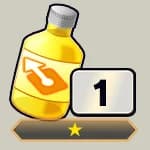
• Attack Boost
An item that increases the base Strike & Blast Attack of guild member units.
*There is no limit for this stat increase.
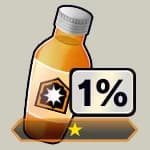
• Defense Boost
An item that increases the base Strike & Blast Defense of guild member units.
*There is no limit for this stat increase.

• Movement Speed Boost
An item that increases Ki Recovery for guild member units.
*There is no limit for this stat increase.
Guild Battle Item Exchange
This is the Guild Battle Item Exchange.
You can exchange Guild Battle Coins for Guild Battle Items here.
Information about the items exchanged for by guild members can be viewed from the history in the dedicated exchange shop.
The Guild Battle Item Exchange Shop is available from the start of the Participation Time Selection period until the end of the Round 5 period.
Guild Battle Team Formation
■Unit Formation
Guild Battle uses a specific unit formation called a "unit".
Similar to Tournament of Power, a "team" will consist of 6 MAIN characters and 2 BACKUP characters.
A unit is made up of 2 of these teams.
Only characters with rarity EXTREME or above can be included.
HERO characters cannot be included. However, Shallot (DBL00-01) is an exception.
Character stats and the Equipment they can use will be the same as in Tournament of Power.
■Shared Characters
One of the characters will be a "shared character". The shared character is included in both teams and will be displayed as an icon on the board.
■Health
Each character in a unit has their own health.
The health of characters will decrease when they take damage during battle, and if it reaches 0, they will be defeated and can no longer be used in the battle.
If the health of all members of a battle team reaches 0 during battle, excluding those on standby, this will result in a loss.
If the health of all members does not reach 0, the team with the higher percentage of damage dealt will be declared the victor.
Be aware that the shared character's health remains the same for both teams.
The health gauge displayed for the unit on the board is the total health of the MAIN characters of the battle team.
■Ki Recovery
Like Tournament of Power, each character has Ki Recovery.
The total Ki Recovery of the MAIN characters in each team will affect the order of actions in Guild Battle.
*Total Ki Recovery excludes the Ki Recovery of defeated characters.
Total Ki Recovery will affect the following:
• The order of priority when an event occurs after moving to a panel
• The order of battles between multiple players
The Ki Recovery of individual characters will affect the following:
• The order of actions during battle
■Confirming Formations
A formation can be freely edited until you move to the board, but once you do so, it will be fixed for the season.
In addition to the characters and their Equipment, status information, such as levels, limit breaks, etc. and the slot details and effects of Equipment, will be fixed as well.
Once fixed, stat changes from upgrades to characters or Equipment will not be reflected.
*If Shallot is included, customization will be fixed as well.
After the formation is fixed, you can only swap the MAIN and BACKUP characters for each team, change character placement, and change Attack Arts.
Also, during the Item Selection and Destination Selection periods, you can tap your own unit on the board to check its details and swap MAIN and BACKUP characters, change character placement, change Attack Arts, and switch between teams.
Features of Certain Traits
When characters with certain Traits participate in GvG battles, the battle results will take into account the activation of the following effects.
*Traits can be checked from a character's "Regular Stats" on their details screen.
1. Transform
The character will transform at the start of a specified turn.
*Some characters' transformations will end after a certain number of turns, and others' will not.
2. Tag
The character will perform a Tag Switch at the end of every turn.
When a Tag Switch is performed, the character's Element may change or be reversed.
*Tag Characters' Elements can be checked from their Element icons or from their details screens.
*If the conditions are met for "Synchro Gauge" or "Succession", the "Tag" effect will stop activating.
3. Synchro Gauge
The character will fuse at the end of a specified turn.
4. Revive and Revive (Chance)
The character will revive with a certain amount of health when their health reaches zero. When reviving, the character may transform or switch.
*Once revived, the revived status will remain even after the battle ends.
5. Succession
The character's health will be restored by a certain amount and they will switch to a specified character when their health reaches zero.
*After succession, the change will remain even after the battle ends.
*If a character has one of these Traits and there is a button for an additional state on their "Regular Stats" screen, but that button is not shown on their "ToP Stats" screen, it is because that effect will not activate in GvG battles.
E.g. A character has both "Tag" and "Succession", but the "After Succession" button is not shown on their "ToP Stats" screen. "Succession" will not activate for that character.
Line Bonus
The front, middle, and back rows of your team formation's 3x3 grid each have a bonus effect that can help you fight more effectively.
The bonus effects received depend on which row a character is placed in.
Battle Participation and Victory Conditions
■Battle Participation Requirements
Move to another panel on the board from the starting point to begin participating in battle.
You cannot take the following actions before joining battle:
• Battle with rival guild units
• Guild Battle Item selection
■Battle Victory Conditions
The guild that occupies the base in the middle of the board for the most turns is the winner of the battle.
*If on the final turn the two guilds are tied, then the last guild to occupy the base is the winner.
*If neither guild occupied the base, then it will result in a loss for both guilds.
If the rival guild would be unable to force a tie by occupying the base for all of remaining turns, the battle will end.
Once the battle has been decided, turns will not progress and you will not be able to use items or move.
All participating members of the winning guild will receive Guild Battle Points as a Win Turns Bonus based on the number of turns it took to obtain victory, and if the battle was decided within a specific number of turns, then it will be counted as a Complete Victory, which will award even more Guild Battle Points.
Guild Battle Flow
■Battle Flow
The battle will progress automatically in "turns".
Both guilds' turns will progress at the same time.
Turns consist of the following actions in order:
• Item Selection (specific turns only)
You can select the Guild Battle Items you want to use.
There are no restrictions on the number of Guild Battle Items that can be used during the Item Selection period.
• Item Activation (specific turns only)
The effects of the Guild Battle Items selected by all guild members during the Item Selection period will activate.
Guild Battle Item effects apply to all guild members participating in the battle.
• Destination Selection
Select which panel you want to move to and confirm your path.
Movement range is limited by the amount of MP you currently have.
During Destination Selection, you can check the path taken to the panel you have chosen.
*The path which consumes the least amount of MP will be chosen automatically.
*If several paths are available, you may select between them.
*You can choose a destination that other players have already chosen.
*Some panels cannot be selected or moved to.
*Once you have selected a destination, you cannot change it.
• Movement/Results
MP is consumed and units move towards the panel chosen during the Destination Selection period.
Units move all at once, one panel at a time, and if you clash with the rival guild during or at the end of movement, a battle will begin.
Once all units have finished moving, if you have moved to a panel that can be occupied, you will occupy it.
You can check the results for information on panels occupied and the outcomes of battles.
Once your guild or the rival guild has met the victory conditions, the battle will end.
If a winner cannot be determined, it will proceed to the next turn.
*If the last turn ends and neither guild has met the victory conditions, then it will result in a loss for both guilds.
The Board and Panels
■The Board and Panels
Guild Battles take place on a board made up of multiple panels.
In addition to the base, there are various kinds of panels.
*The board's contents will be the same for all participants each Guild Battle period.
■About Panels
Some panels have Placement Bonuses like in the Tournament of Power.
When a battle occurs, the positions of the characters in each battle team will affect the outcome.
There are panels that are passable and those that are impassable.
If a panel is impassable, it cannot be selected as a destination and it will not be included in the path.
Further, among panels that are passable, there are those that can be occupied and those that cannot.
After moving onto an occupiable panel, it can be occupied after all units have finished moving.
Occupying panels can cause advantageous events to occur.
There are mainly two types of non-occupiable panels.
1. Panels with no event
2. Panels for which occupation is restricted
When a panel has no event,
being on it at the end of movement will not confer any benefits.
When occupation is restricted,
events may occur, but the rival guild's units will be unable to enter,
or both guilds will be unable to occupy it.
■Types of Event Panels
The following types of event panels exist:
- Base (occupiable)
There is only 1 of this type of panel on the board. Occupying it for more turns than the rival guild will result in victory.
If this panel is occupied once all movement ends, the "Turns with Base Occupied" count will begin.
Occupying the base will earn Guild Battle Points, and while it is occupied, units on the base will receive a Base Bonus.
Only the first player from each guild to occupy the base can earn Guild Battle Points.
Re-capturing it will not award additional Guild Battle Points.
While the base is occupied, it can be selected as a respawn point.
If a unit from the occupying guild loses a battle on the base, they will be forced to respawn at the designated respawn point.
If a unit from the guild that is not occupying the base loses a battle on the base, a respawn point other than the designated respawn point can still be selected.
The Base Bonus will be lost if the base is lost.

- Base Area (non-occupiable)
Special panels surrounding the base that cannot be occupied.
Members within the base area will receive the Base Area Bonus when their guild occupies the base.
The Base Area Bonus will be lost if the base is lost.
- Starting Point (non-occupiable)
Each guild possesses one of these panels.
Move off of this panel to begin participating in the battle.
Because you are not participating while on this panel, the following restrictions apply:
- Guild Battle Items cannot be selected for use
- The effects of Guild Battle Items used by guild members cannot be received
- Gigantic Battles will not be joined, even if the battle area includes the starting point
After moving off of the starting point, you cannot move back onto it.
You cannot move onto the rival guild's starting point.

- Camp (occupiable)
Occupying a camp will award Guild Battle Points, and it can then be selected as a respawn point for after losing a battle.
The farther a camp is from your guild's starting point, the greater the Guild Battle Points will be for occupying it, but the lower a unit's starting health will be after respawning.
If the rival guild occupies a camp, or neither guild does, it cannot be selected as a respawn point.
Only the first player from each guild to occupy a camp can earn Guild Battle Points.
Re-capturing one will not award additional Guild Battle Points.

- Respawn (occupiable)
Occupying a respawn will award Guild Battle Points, and they can be selected as a respawn point after losing a battle.
Each panel will restore unit health by a different amount upon respawning.
If the rival guild occupies a respawn, or neither guild does, it cannot be selected as a respawn point.
Only the first player from each guild to occupy a respawn can earn Guild Battle Points.
Re-capturing one will not award additional Guild Battle Points.

- Designated Respawn Point (non-occupiable)
Each guild possesses a designated respawn point.
Only units from the guild that possesses this panel can move onto it.
Units on this panel will not join Gigantic Battles.
If a respawn point has not been selected, units will respawn here.

- Recovery (occupiable)
Occupying a recovery panel will award Guild Battle Points and restore Battle Team designated MAIN character health by a fixed amount.
*Also applies to defeated characters.
*Does not apply to SIDE characters.
Each panel will restore health by a different amount.
Bonus health, such as from the Base Bonus, will not be restored.
Only the first player across both guilds to occupy a recovery panel can earn Guild Battle Points and restore health.
Re-capturing one will not award additional Guild Battle Points or restore health.

- Bonus (occupiable)
Occupying a bonus panel will award Guild Battle Points.
Only the first player from each guild to occupy a bonus panel can earn Guild Battle Points.
Re-capturing one will not award additional Guild Battle Points.
Movement and Battle
During Destination Selection, the areas you can move to with your current MP will be highlighted. Multiple players can move onto a single panel regardless of the guild they belong to.
*Certain panels cannot be moved to.
MP is required to move to a panel at the rate of 1 MP per panel.
MP can be restored in the following ways:
- Letting turns pass
- Using an MP Restore
*MP has an upper limit and cannot be restored in excess of that limit.
During Destination Selection, you can check the path taken to the panel you have chosen.
*The path which consumes the least amount of MP will be chosen automatically.
*If several paths are available, you may select between them.
After all units have finished moving, if a unit is on an occupiable panel, it can be occupied. An occupied panel's event will be triggered if certain conditions are met.
If multiple units from the same guild are on a panel, the occupying player will be determined with the following priority:
1. The player who used the least amount of MP during the turn
2. The player with the highest total Ki Recovery based on the MAIN characters in their battle team at the start of the "Movement" phase
*Total Ki Recovery excludes the Ki Recovery of defeated characters.
During the "Movement" phase, units move all at once, one panel at a time, and if a unit from the rival guild is encountered during or after movement, a battle will occur. Each unit's battle team will participate in the battle. If 3 or more players between both guilds are on a panel when battle occurs, the units whose battle teams have the highest total Ki Recovery will battle first.
Battles play out automatically, like when using the Tournament of Power's Auto Mode. Characters with the highest Ki Recovery will attack first. Victory occurs when, after 4 offenses and defenses, the MAIN characters in the rival guild's battle team have all been reduced to 0 health. If not all of the characters on one of the teams were reduced to 0 health, then the team with the higher percentage of damage dealt is the winner.
Guild Battle Points can be earned by winning battles. If a battle occurred during movement, movement will continue after it is over.
*Multiple battles can occur during movement.
When battling multiple units from the rival guild, battles will occur until you have defeated them all, or you have lost.
After losing a battle, you will move to a respawn point during the next turn's Item Selection or Destination Selection periods. If a battle is lost during movement, only the MP used up until that point will be consumed.
While selecting your destination, if you choose a panel containing a unit from the rival guild, you can view a simulation of the results if a battle were to occur.
*The following are not included in the simulation's calculations:
- Tournament of Power Equipment
*Depending on unit movement, the simulated battle may not actually occur.
*Various factors may influence the actual results of a battle, such as if a player changes the positions of their battle team or if bonus health shared between guild members is lost during other battles.
Gigantic Battles
If 4 or more players between both guilds are on a panel when battle occurs, it will become a Gigantic Battle. Gigantic Battles have a battle area, and all units on panels within that battle area will join the fight. Placement Bonuses and bonus health are determined by the panel a unit is on when the battle occurs.
*Certain panels cannot be a part of the battle area.
Battles will occur until all of one of the participating guild's battle teams have been defeated. The units whose battle teams have the highest total Ki Recovery at the start of the "Movement" phase will battle first in a knockout competition. All units that lose in a Gigantic Battle will respawn from a respawn point.
*Total Ki Recovery excludes the Ki Recovery of defeated characters.
The guild that wins a Gigantic Battle will take over all of the panels in the battle area that were occupied by their opponent.
*Like occupation due to unit movement, occupation due to a Gigantic Battle will begin after all movement has ended.
*Panels in the battle area cannot be occupied due to subsequent, overlapping Gigantic Battles or the movements of opposing units before occupation begins.
Respawn
After losing a battle, you can respawn the following turn at one of these panels:
- The designated respawn point
- Another respawn point (when occupied by your guild)
- The base (when occupied by your guild)
- A camp (when occupied by your guild)
Unit health will be restored by a fixed amount upon respawning.
*Different respawn locations will restore different amounts of health.
*You will receive the benefits of Health and MP Restore items even if you have not yet respawned.
If a guild occupies multiple potential respawn locations, one can be selected during the Item Selection or Destination Selection periods.
*If one is not selected, you will be automatically respawned at the designated respawn point.
If a unit from the occupying guild loses a battle on the base, they will be forced to respawn at the designated respawn point.
If a unit from the guild that is not occupying the base loses a battle on the base, a respawn point other than the designated respawn point can still be selected.
Bonus Health
Bonus health is additional health shared among guild members.
If there is bonus health remaining, damage taken by a character will be applied to the bonus health.
Bonus health will not be restored by panel recovery events or Guild Battle Items.
The following types of bonus health exist:
- Base Bonus
Bonus health that is applied to the guild that occupies the base.
This bonus health only applies to units when they are fighting on the base.
*If occupation continues, the remaining health of the Base Bonus will be carried over.
*If the base is re-captured, the full bonus health will be applied.
- Base Area Bonus
Bonus health that is applied to the guild that occupies the base.
This bonus health only applies to units when they are fighting in the base area.
*If occupation continues, the remaining health of the Base Area Bonus will be carried over.
*If the base is re-captured, the full bonus health will be applied.
- Panel Occupation Bonus
Bonus health that is applied when a guild has occupied more than a certain number of panels.
The level of this bonus changes according to the number of event panels occupied, which affects how much bonus health is applied.
The Panel Occupation Bonus applies to units in battle.
*The following event panels do not count towards the number of panels occupied.
- The base area
- The starting point
- The designated respawn point
*When the level of the Panel Occupation Bonus changes, the maximum bonus health for the new level will be applied.
Capture the base to receive the Base Bonus and Base Area Bonus and gain an edge when battling on the base or in the base area.
If the rival guild takes the base, capture lots of event panels and gain a Panel Occupation Bonus to fight back.
Checking Info on the Board
When the board is freely viewable, the following information is available.
- Messages
Send and receive messages exclusive to Guild Battle.
*Messages cannot be sent repeatedly. There is a limit to the number of messages in a given period.
- Participating Player Info
Select a guild's icon to view its achievements during the guild event and view the info of participating players.
Info about participating players can also be viewed from the "Participants" button.
- Player Detailed Info
Tap and hold a unit on a panel, check a guild's details, or check the participating player info to find more detailed info about a player.
*When multiple units are on a panel, you will be able to choose different players from the list of units displayed.
Various information can be viewed, from the amount of Guild Battle Points that player has earned during the current battle, to their MP and the positions, remaining health, and Special Move Gauges of their characters.
- Panel Info
Select a panel to view detailed info about it.
This includes info about its events, the occupying guild, and the Placement Bonuses that will apply when a battle occurs.
- Ranking Info
Select the "Ranking" button to view info about the Guild Battle Ranking and Contribution Ranking.
*When viewing the rankings, keep in mind that placement corresponds to the time the data was compiled, and thus may not always be up to date.
Data Updates During Guild Battle
The game will transition to the title screen if an update occurs during a Guild Battle.
In such a case, any destinations selected, Guild Battle Items scheduled for usage, or other actions selected directly before transitioning to the title screen may not be correctly applied.
If the time for performing actions during a turn ends before an action has been selected, you will not act during that turn.
During the Guild Battle period, please be sure to check the News or the Guild Battle screen for the Guild Battle Period Details and ensure you have plenty of time to make your selection.
Dynamic Area Battles
7What Are Dynamic Area Battles?
What are "Dynamic Area Battles"?
Dynamic Area Battles are a new battle mode where special actions and area-spanning attack animations have been added to standard PvP battles.
They are fought while switching between two battle areas: the mid-air "High Area" and the surface-level "Low Area".
Dynamic Area Battles can also be played in some PvE Events.
*They cannot be played in certain modes, such as the Main Story, Hyperdimensional Co-Op, Full Power Battle, or the Tournament of Power.
Certain Arts Cards will be more powerful when used in either the High Area or the Low Area.
Overcharging
"Overcharging" is a powered-up version of Ki charging. In addition to charging Ki, it can also charge the Overdrive Gauge and the Vanishing Gauge.
Overcharging activates automatically after charging Ki for a set period of time. However, if the Ki Gauge is full, then Overcharging will activate immediately.
Tap Actions will automatically be cancelled out or nullified while Overcharging.
Overdrive Gauge
The Overdrive Gauge is a new type of Gauge that can be charged by Overcharging. When it's full, Overdrive Mode will be activated.
In addition to Overcharging, the Overdrive Gauge will be charged a fixed amount by the following:
• Performing Area Change Attacks
• Being hit by enemy Arts attacks
• Characters being defeated
• Performing LEGEND Actions
Overdrive Mode
During Overdrive Mode, Ki will be unlimited, and damage received will be reduced. Additionally, the Overdrive Gauge will slowly deplete, and when it is fully depleted, Overdrive Mode will end.
The Overdrive Gauge will be charged/depleted by the following:
• Activating an Arts (depleted)
• Activating an Overdrive Attack (fully depleted)
• Being hit by enemy Arts attacks (charged)
• Characters being defeated (charged)
• Activating a LEGEND Action (charged)
Overdrive Attack
During Overdrive Mode, the Overdrive button will appear in the Ki Gauge. Tapping it will activate an Overdrive Attack.
Landing an Overdrive Attack will begin the option selection phase. Options will appear on screen, and each one will either boost damage or restore own health. These options have three different strengths. The greater the number of arrows, the stronger the effects. Stronger options are more likely to appear if you have fewer battle members than your opponent.
When on the receiving end of an Overdrive Attack, the defending player will also choose from options that appear on screen. Correctly picking the same options as the attacking player will prevent them from receiving the bonus effects and reduce damage received from their attack.
While charging forward with an Overdrive Attack, Strike and Blast Arts, as well as forward-charging Special Move, Special, and Ultimate Arts, will be nullified. However, Overdrive Attacks will lose out to Rising Rush.
*Recovery effects will not be affected by abilities.
Area Change Attack
Area Change Attacks can be performed by tapping the screen after landing a Quick Attack or a Tackle.
Landing Area Change Attacks will cause the battle to shift between areas. Area Change Attacks moving down to the Low Area will deal more damage.
*Area Change Attacks cannot be activated under certain conditions.
Charge Attack
Charge Attacks can be performed by flicking upward (with or without lifting your finger) while Overcharging. Landing a Charge Attack will allow you to follow up with certain Arts attacks. However, if your Charge Attack misses, you will be left wide open.
Supporter
11Supporter
Allies that support battle members in battle.
Supporters can be obtained from Summons.
Supporters can be used in content other than the content below:
- Ultra Space-Time Rush
- Full Power Battle
- Tournament of Power
- Guild Battle
Card Numbers
Supporter card numbers are a string of letters and numbers in the form DBL-SUP-XXX that can be found in the bottom right corner of a supporter's details screen.
Supporter Formations
Up to 6 supporters can be a part of each party.
When the party deployed for a battle changes, so will the supporters.
Deployed Supporter
A single supporter from a party's supporters can be selected as the "deployed supporter".
Deployed supporters are chosen before a battle begins.
In modes like PvP, just like with battle members, you will be unable to see which supporter your opponent has chosen until right before the battle.
Supporter Levels
After a supporter is obtained, its level can be raised by obtaining a certain number of additional copies.
*Supporters will not level up from being deployed in battles.
The number of copies needed to level up a supporter can be checked on its details screen, etc.
Support Z Abilities will be upgraded as supporters level up.
At certain levels, Support Abilities will also be upgraded, or the supporter's illustration will change.
*The illustrations for certain Event-exclusive supporters may not change.
Supporters will automatically level up when copies are obtained.
Support Ability
Abilities that can only activate for the supporter chosen as the deployed supporter before a battle begins.
When the activation conditions are met, it will activate automatically.
These abilities will be upgraded when supporters reach certain levels.
The abilities of different supporters will have different effects.
In addition, if a supporter has an effect that deals damage to the enemy, the stats of the ally currently on the battlefield will be used.
*Element factors will be nullified.
*Damage from this attack cannot cause enemies to be defeated.
Support Z Ability
Abilities that are always active from the start of battle when a supporter is part of a party.
Their effects will be applied to the stats of battle members.
These effects will also be upgraded each time a supporter levels up.
*These abilities are active even for supporters who are not deployed.
Support Z Ability (Total)
"Support Z Ability (Total)" shows the combined effects of the Support Z Abilities of the supporters in a party.
It shows the totals that will be applied to the stats of battle members.
Favorite Supporter
By selecting a Favorite Supporter, they can be set to appear on the home screen and they will appear as an icon that is visible to other players in rankings, etc.
If you have not set a Favorite Supporter, the supporter in the first slot of party 1 will be visible in the rankings.
If there is no supporter in that slot, no supporter icon will be shown.
You can select a Favorite Supporter from the Status menu.
Supporter Presets
Supporter Presets allow you to register supporter formations.
You can use any supporter formation you've registered using the Call feature.
The same supporter formations can be used in both regular modes and Hyperdimensional Co-Op/Co-Op Raids.
Changing Illustrations
Once you've obtained a new illustration for a supporter by leveling them up, you will be able to change that supporter's illustration.
Illustrations can be changed from a supporter's details screen.
Other players will be able to see whichever illustration has been selected.
Event Ranking
4Event Ranking
In Event Rankings, players worldwide compete to earn the highest score they can by playing a designated Event.
The period during which players compete is called a "season", and the rankings for an ongoing season can be checked from the Ranking Details.
Note that the rankings shown on the main Event Ranking screen are based on player placements as of the last rankings update, so they may not reflect actual current placements.
If you begin the designated Event near the end of the season's period and earn points after it ends, those points will not count towards your placement in the rankings.
Scores will be reset each season and will not carry over into the next season.
Qualifying for Rankings
Each Event Ranking has a requirement to participate. You will qualify to compete in the ranking once you reach the required score.
Since the requirement can differ between rankings, please check the details for the ongoing Event for specifics.
Class
Players who participate in the Event Ranking will be assigned a "class" depending on their placement. Classes indicate where a player is placed within the Event Ranking. Since class placement can differ between rankings, please check the details for the ongoing Event for specifics.
Also, note that classes reset with each new season.
Event Ranking Rewards
Players earn rewards from Event Rankings depending on their placement in a ranking after points are tallied.
There are two kinds of rewards: class rewards and placement rewards. If you are eligible for placement rewards, you will not also receive class rewards.
Season rewards will be distributed after points are tallied and can be claimed by moving to the home screen or the Event Ranking screen. The availability period for rewards lasts until the end of the rankings publication period.
*Season rewards can be checked from the rewards button on the main Event Ranking screen.
*Depending on the type of item, excess rewards will be processed differently.
Card Collection
5Card Collection
Card Collection is a game mode where you collect cards that can be obtained from the Card Machine. The cards you obtain can be viewed from "Card Collection", and by swiping on a card, you can see the back.
Different series will have different cards, but the cards available cannot be viewed until you have obtained them.
Card Machine
Cards can be obtained from the Card Machine by using Card Collection Coins.
Card Collection Coin
Card Collection Coins recover over time, but there is a limit to the number of coins that can be held at once.
With a LEGENDS Pass subscription, coins will recover faster and you will be able to hold more coins at once.
You can check the number of coins you currently have and the time needed until you recovery the next one from the "Card Collection" button on the home screen or from the Card Machine screen.
Cards
Each card has a rarity, a type, and a Power Level.
There are three rarities: Normal, Rare, and Super Rare.
When a card is obtained, its Power Level will be added to your Total Power Level.
Obtaining additional copies of a card you already own will increase that card's Power Level.
*There is a limit to a card's Power Level.
Favorite Card
You can register one of the cards you have obtained as your favorite card. Your favorite card will be shown on your profile.
Select "Favorite" when you obtain a card or when viewing a card in Card Collection to register a favorite card.